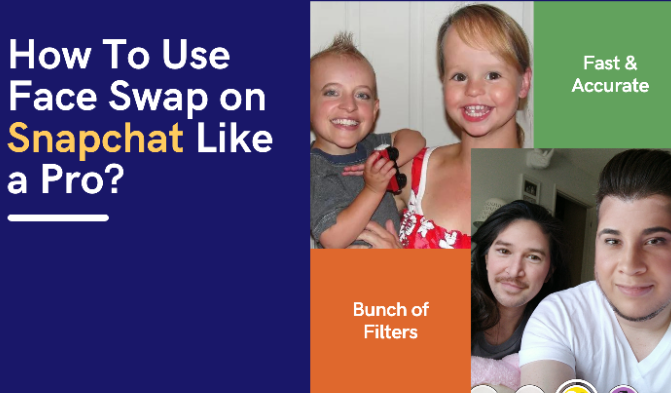
How To Use Face Swap on Snapchat Like a Pro
Snapchat is a cool app that lets you do fun things with your face in photos and videos. One of the coolest tricks is called "Face Swap." It lets you switch faces with someone else in a picture. Whether you're new to Snapchat or a regular user, we're here to help you learn how to do this cool face swap stuff.
In this guide, we'll show you how to swap faces using pictures you already have in your phone's photo library, and we'll also teach you how to do it with your live selfies.
So, get ready to have fun as we walk you through all the steps to become a Face Swap pro on Snapchat!
Finding and Saving the Face Swap Lens
Accessing the lens starts with a quick search. Tap and hold the camera screen to open the lenses tray, then type Face Swap into the search bar or browse Lens Explorer. The official lens shows a pair of smiley faces and stays available through direct search or Snapcode. Once you find it, tap the star to favorite the lens so it stays in your carousel for later sessions without re-searching.
Using Face Swap in Video and Stories
The same lens works for motion. Apply it before you hit record, or swipe it on mid-take, and the swap stays locked while you film. Finished clips can drop straight into a Story or land in a private message. Short vertical videos often perform best when the lens stays active the full length, giving the swap time to react to head turns and expressions.
Privacy and Consent Considerations
Swapping someone else's face raises basic courtesy questions. Ask before you capture or share the result, especially if the image might circulate beyond your close circle. Public posts of altered faces can spread quickly, so a quick check with the other person keeps things respectful. Snapchat's terms already cover how user content can be used once posted, but personal consent remains the safer route.
Alternatives and Complementary Tools
Users who want tighter control sometimes pair Snapchat with dedicated AI apps for higher-resolution swaps or stylized effects. Those tools sit on the phone for later editing, while Snapchat's lens stays fastest for instant social sharing. Lens Studio also lets creators tweak the original face-swap template into custom versions, so the same mechanic can appear inside themed or branded experiences.
Face Swap on Snapchat in Camera
Snapchat is a beacon of innovation in social media and has continually impressed its users with its unique features. A while back, Snapchat introduced a super cool feature called Face Swap.
It took the internet by storm as users excitedly started swapping their faces with friends, turning ordinary moments into hilarious or sometimes just plain weird selfies.
Before we get into the details of Snapchat face swapping, it's worth mentioning that you can also do face swapping using online tools without installing any app like Snapchat, etc. FaceSwapper.ai is a great example of that. It offers super precise and flexible face swaps.
Steps to Use Face Swap on Snapchat
To ensure you can use the Face Swap effect, update your Snapchat app to the latest version. This guide will walk you through the steps using the iOS app, but the process is the same for Android users.
- Open the Snapchat app.
- If you want to swap faces with someone, switch to the front camera by tapping the icon at the top right corner; otherwise, use the rear camera.
- Focus on a face in the camera frame.
- Tap and hold the screen to open the lenses tray, then search or swipe until you reach the Face Swap lens.
- The lens often appears with a two-smiley icon; tap to activate it.
- Position both faces inside the frame so the software can lock onto each one.
- Once the swap renders, tap the capture button to take the photo.
You can save the picture to your smartphone's gallery or share it on the Snapchat story. You can also send the funny face swap photo as a message to specific friends.
Face Swap Using Photos from Camera Roll/Gallery
So, if you want to swap faces with a photo from your gallery, start by following the first two steps we discussed earlier. Then follow the below instructions to create your hilarious face swap.
- Focus the camera on the faces you want to swap.
- Long-tap the screen to activate Snapchat's face lenses/filters.
- Swipe or search until you reach the dedicated camera-roll lens, often marked with a purple or gallery icon.
- The app scans recent photos for detectable faces and displays them in a strip.
- Pick the face you want to swap with and tap the capture button.
It's easy, fun, and a great way to get creative with your photos.
Common Issues and Troubleshooting
Some common issues occur in Snapchat while you are using Face swap. So let's discuss them in brief and find their solution.
Face Not Recognized
Facing trouble?
- Make sure both faces are front-facing and well-lit.
- Reduce movement while the lens locks on.
- Remove hats, sunglasses, or anything covering key features.
Quality of Swap Not Satisfactory
- If the result feels a tad off:
- Use recent, high-resolution photos for the gallery option.
- Neutral expressions often produce cleaner swaps than big smiles or grimaces.
App Crashes or Freezes
Tech hiccups do happen.
- Try rebooting Snapchat.
- Confirm you're using the latest version.
- Still glitchy? Clear the app cache or reinstall.
Creative Ideas and Uses for Snapchat's Face Swap Feature
Snapchat's Face Swap feature is not just about swapping faces with friends; it's a versatile tool for creativity and entertainment.
-
Merging Celebrity Faces
A Brad Pitt-Angelina Jolie hybrid or a concoction of your two favourite K-pop stars? The possibilities are endless and hilarious.
-
Merging Historical Photos
Imagine your face on a vintage photo or swapping faces with iconic figures from history. The past just got a fresh, fun twist.
-
Participating in Online Trends
Combine the lens with trending 2026 filters for hybrid effects, or drop short swapped videos into viral challenges. The format stays quick and shareable, which helps clips gain traction on Stories and Discover pages.
Final Words
So, there you have it—using Face Swap on Snapchat like a pro is all about following a few simple steps. Whether swapping faces with your friends in real-time or using photos from your gallery, Snapchat's creative tools make it easy and fun. Remember to keep your app updated, and don't be afraid to get creative with different faces and ideas.
Snapchat's Face Swap feature has made social media more entertaining, turning everyday moments into funny and unforgettable experiences. So, go ahead, open Snapchat, and enjoy the world of face-swapping like a pro!