How to Connect to deltawifi
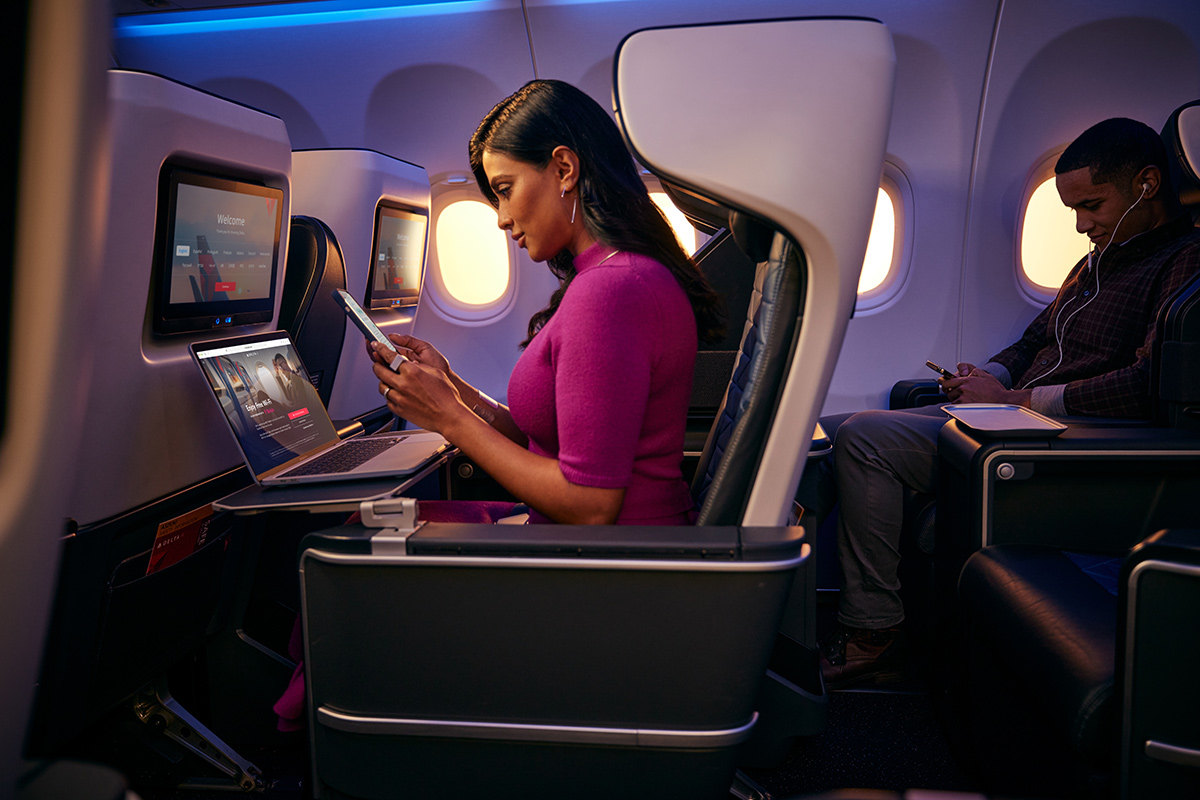
Delta keeps passengers linked to the ground with DeltaWifi, now running under the Delta Sync system on the majority of its fleet. SkyMiles members log in for fast, free service on most domestic flights and a growing list of international routes, while non-members can still buy a single-flight pass. The network supports streaming, messaging, and work tools once the aircraft reaches cruising altitude.
Connection steps have been streamlined. The process now centers on Airplane Mode, the exact network name, and a quick SkyMiles login or purchase screen. Fleet coverage continues to expand, seatback personalization is arriving on newer aircraft, and support channels have shifted to in-flight messaging for most users.
Delta Sync Wi-Fi and SkyMiles Membership Benefits
SkyMiles members receive complimentary access on equipped aircraft after boarding doors close. The login creates a personalized hub that surfaces partner offers and includes 24-hour Paramount+ streaming on eligible flights. Non-members see the same network but must purchase the $5 Flight Pass option instead.
Fleet Rollout and Availability by Route or Aircraft Type
More than 1,000 aircraft, roughly 75 percent of the fleet, now carry Delta Sync as of late 2025. Domestic routes lead the rollout, followed by most transatlantic flights. Regional jets and remaining widebodies are scheduled for completion by the end of 2026, so some flights still rely on the older paid-only system during the transition.
Delta Sync Seatback Screen Personalization
Passengers on A319, A320, A321, 737-800, 737-900, and 757-200 aircraft can sign into the seatback screen with their SkyMiles number or birthdate. The system then tailors movie and television recommendations to past viewing history and membership tier, giving a second screen option when device streaming is not preferred.
Tips for Reliable Connection and Battery Management
Turn Airplane Mode on first, then enable Wi-Fi and select the DeltaWiFi.com network. If the portal does not open automatically, type deltawifi.com into the browser. Connect after the boarding doors close to avoid signal handoff issues. Forget any old network names that may interfere, and keep a portable charger handy since streaming quickly drains battery life.
1. Make use of the DeltaWifi Network
Enable Airplane Mode, then turn Wi-Fi back on once the aircraft is airborne. Search for available networks and select DeltaWiFi.com. If the captive portal does not load, open a browser and manually enter deltawifi.com to reach the sign-in page.
2. Open the web browser
The network redirects most devices to the Delta Sync experience. SkyMiles members can log in or create a free account. Non-members see the purchase screen for the current Flight Pass. Either path leads to the same dashboard once credentials are verified.
3. Select Your Pass Choice
SkyMiles members receive free access on equipped flights. Non-members may buy the $5 per-flight pass. Older All-Day and Global passes are no longer accepted, so the single-flight option is the only paid choice still offered.
4. Get Your Pass Here
Members simply sign in with their SkyMiles credentials. Non-members complete the purchase with a credit card or Apple Pay on the portal. Payment clears almost instantly and the device connects to the network without further steps.
5. Establish a Network Connection
Once logged in or paid, the device receives an IP address and full internet access. A confirmation message appears on the screen. Passengers can then open apps, browse, or stream without additional authentication.
6. Savour Entertainment While Flying
Delta Sync supports video and audio streaming on equipped aircraft. Members also see Paramount+ and other partner offers inside the hub. Seatback screens on newer jets mirror the same catalog when passengers prefer not to use personal devices.
7. Continue to be productive
The service delivers speeds sufficient for email, messaging, cloud documents, and light video calls. Work tools function reliably once the aircraft is above 10,000 feet and the connection stabilizes.
8. Support and Troubleshooting
While connected, passengers can message Delta specialists directly through the portal for Delta Sync issues. Legacy purchases still route to care.inflightinternet.com for chat support. Flight attendants can also reset the system from the cabin if needed.